Pair-programming on the auth refactor caught two bugs early
Effective agile retrospectives.
Enable effective retrospectives across remote & hybrid teams.
What worked
Sprint planning got tighter once we cut nice-to-have stories
What blocked
Friday-afternoon deploys keep eating into the weekend on-call
Integration test pipeline is still flaky on payments
What to try
No-meeting Wednesdays through end of quarter
Move standups async until 11am
Action items
Write the incident-response runbook before next on-call rotation
Move standups to async; wire up the Slack thread
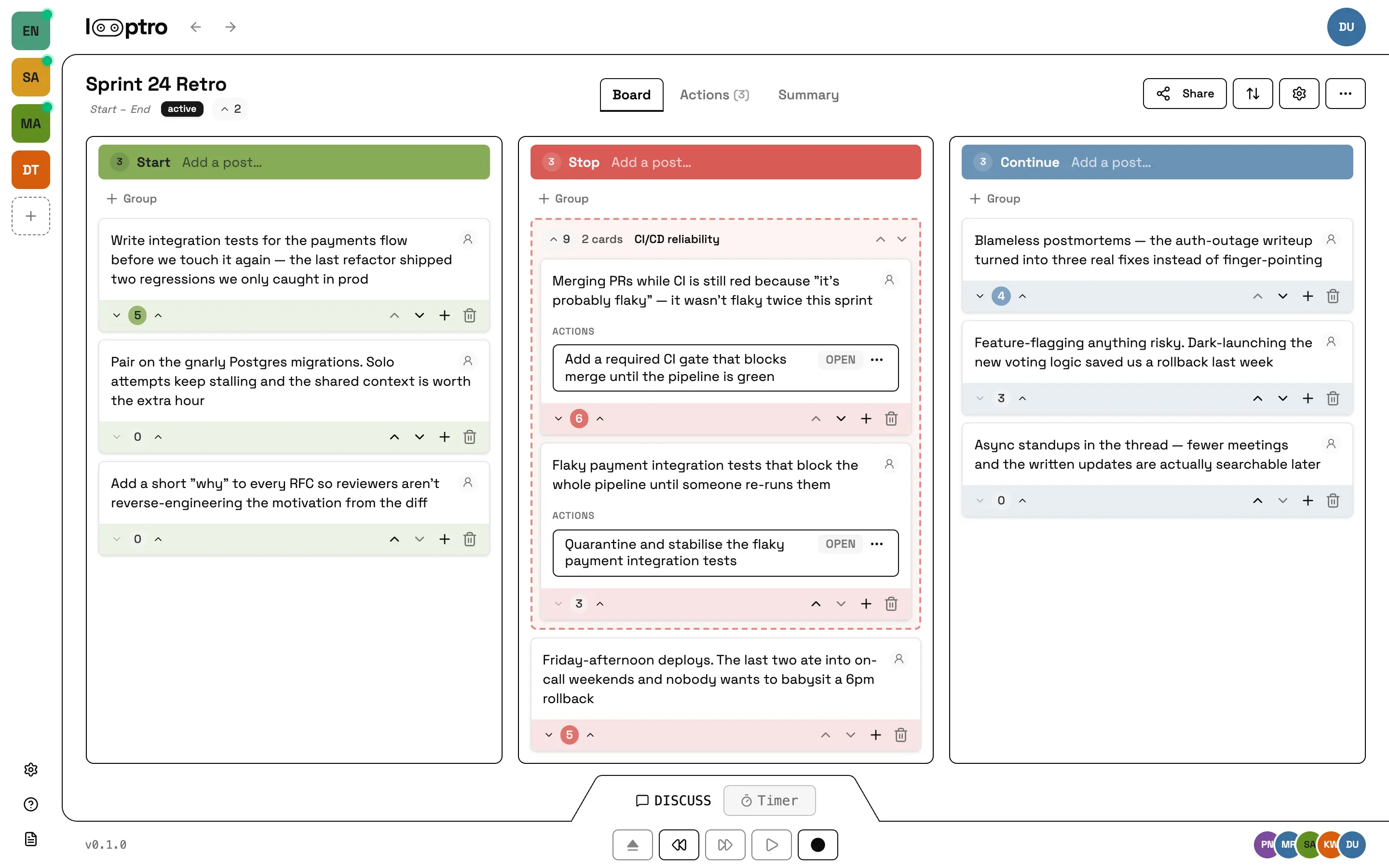
Illustration. The live UI lands as the v1 build ships.
Everything an effective retrospective needs
Simple, powerful tools that help teams reflect, decide, and follow through.
Anonymous, by default
Start a retro with no account. Share the link, teammates join as guests. Free retros disappear after 24 hours of inactivity.
Async by default
Open Reflect ahead of the meeting. Teammates drop thoughts over hours or days; the host advances when everyone's ready.
Phase-guided timer
Keep retrospectives on track with automatic timers for each phase. Timebox the discussion, let the clock run, or advance when the team is ready.
Templates for any format
Choose from standard retro templates or create one that works for your team.
Actions that move work
Action items are owned, dated, and carry forward. Open items from the last retro appear at the top of the next one. Linear, Jira, GitHub, and GitLab sync coming.
MCP server built in
Model Context Protocol over OAuth or PAT. Claude, Cursor, and your own scripts call typed tools for the same surface as the web client.
End-to-end encryption
Your team's posts, votes, and action items encrypted client-side. The server stores ciphertext; only your devices hold the keys.
Coming soon
Your data is yours
Export everything to JSON or Markdown anytime. Every endpoint is OpenAPI-described so you can build clients in any language.
Plans
Free
For one-off retros. No account, no email, click and go.
$0 no signup
- Start a retro with one click
- No account needed
- Full retro features
- Invite with a share link
- Up to 5 retros per day per browser
- 1 active retro at a time
- Retro auto-deletes 24 hours after the last interaction
Pro
Coming soonFor teams that run regular retros and want their history to stick.
$25 /mo per team
- Everything in Free
- Persistent retros that don't evaporate
- Unlimited team members, unlimited retro history
- Async collection: share Monday, run Friday
- 3rd-party integrations (coming soon)
- API + MCP
- Audit log + data export
- Optional end-to-end encryption
Maxx
Coming soonFor orgs that run retros across multiple teams under one bill.
$99 /mo
- Everything in Pro
- Multi-team workspace with single billing across teams
- Central org admin (members, teams, permissions)
- Org-level analytics across teams
- SAML SSO + SCIM provisioning
- Data residency options
- 99.9% uptime SLA
- SOC 2 evidence packet
- Priority support
Up to 5 teams. $199/mo for 6–20 teams. Custom beyond.
Notify me when Maxx launchesGet notified when Pro and Maxx launch
Anonymous retros are already live — click "Start a retro" above to spin one up. Pro and Maxx are still in private beta. Drop your email below and we'll send the launch announcement when the paid tiers open up.
FAQ
Direct answers to the questions engineering teams ask before adopting Looptro.
-
Who is Looptro for?
- Engineering teams of 3 to 12 who run regular retrospectives and want them to actually change how the team works. The phase-guided flow is opinionated, so it suits teams who want structure more than a blank whiteboard.
-
Is Looptro free?
- Anonymous retros are free with no signup. Click "Start a retro," pick a template, name yourself, share the link with whoever you want to retro with, and retros run end-to-end on the free tier. The catch: anonymous retros are deleted 24 hours after the last interaction, and they don't include API/MCP access, audit log, or data export. Pro and Maxx are paid tiers for teams who want persistence and the full feature set.
-
Do I need an account to use Looptro?
- No, not for one-off retros. The anonymous Free tier needs no email, no account, and no commitment. You click "Start a retro" and you're in. Accounts only exist on the paid tiers (Pro and Maxx), because that's how persistence, the integrations, and the audit log work.
-
What happens if I want to save an anonymous retro?
- On the anonymous retro page, the host sees a "Save retro" button. Click it, sign up for Pro (or Maxx), and the retro is automatically saved to your new account's team, with all the posts, votes, and action items preserved. Alternatively, a teammate who's already on Pro can open your share link and accept a one-click "save this retro to my team" prompt; the retro moves to their team with full Pro features.
-
Can I connect Claude or another AI agent to Looptro?
- Yes, on Pro or Maxx. Looptro ships a Model Context Protocol (MCP) server, so Claude Code, Cursor, and other MCP-speaking agents can read past retros, prep new ones, draft action items, and chase follow-ups. The MCP docs cover install and the full tool list. (MCP access is a paid feature; anonymous retros don't expose an API.)
-
How do I export my data?
- Pro and Maxx teams can export their retros (including posts, groupings, votes, and action items) as JSON or Markdown from the team settings page. Data export is also available via the GDPR Data Subject Access Request endpoint and is delivered as a machine-readable archive. Anonymous retros don't have export; they're ephemeral by design.
Ready to run a retro?
Anonymous retros are free and need no signup. The retro lives for 24 hours after the last activity; save it permanently from inside if your team wants to keep it.